Watch enough SaaS demo videos and you'll notice most of them kick off with a spinning logo and some stock music before a cursor wanders over to the login screen.
The thing is, nobody has ever needed to watch you log in, so that opening is wasted before the demo has even started.
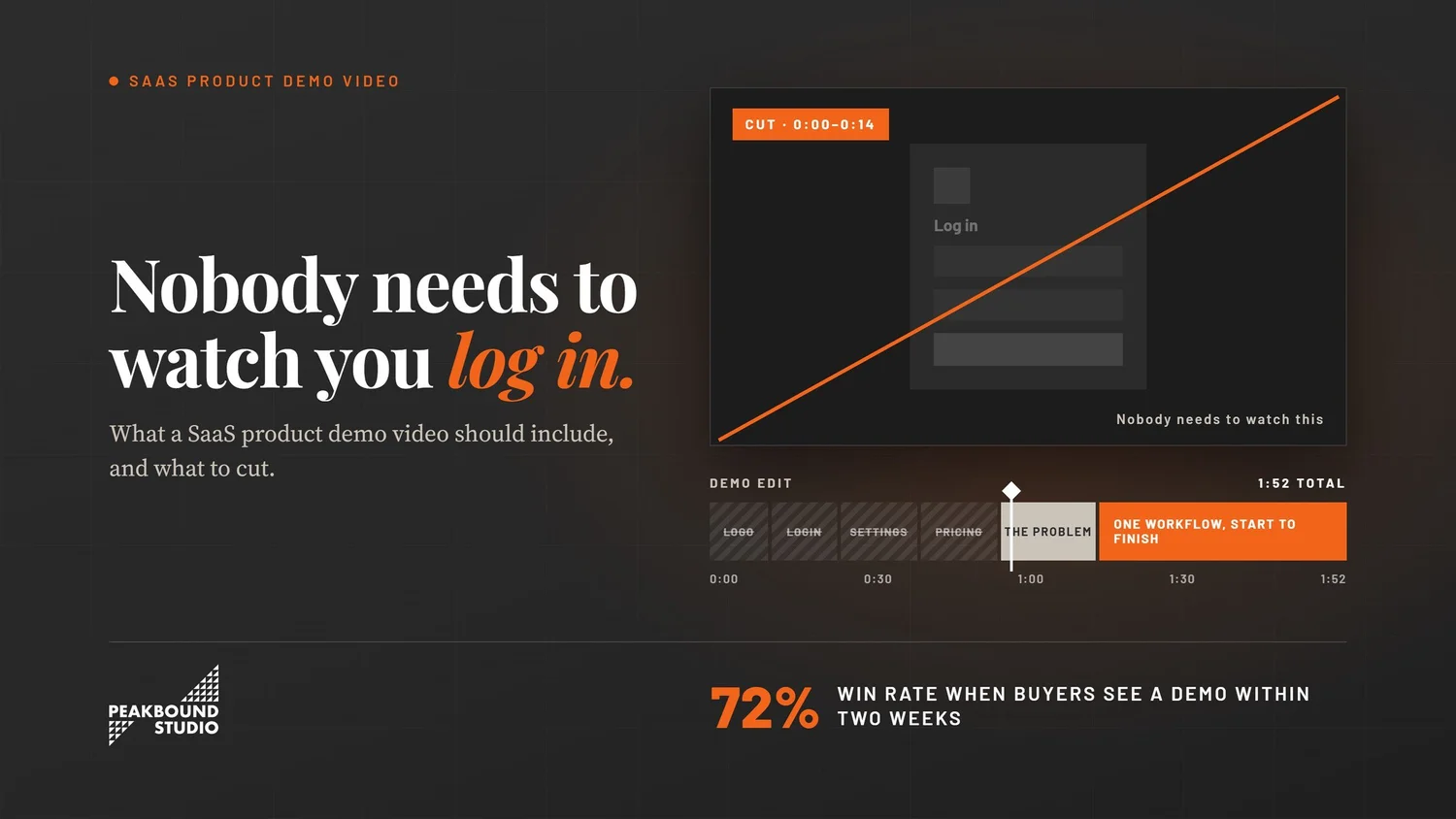
That one habit says a lot about what goes wrong with demo videos. Most of them follow the product's own menu from top to bottom, when a buyer's brain doesn't work that way at all, so you get a slow walk from the front door through every room and nobody ever mentions why you'd want to move in.
The good ones are harder to make. They zero in on one job your buyer keeps getting stuck on and let them watch it get done.
Quick answer
Pick one real workflow and show it from start to finish, using data that looks like a real account and a voice from someone on your team who works in the product every day. Lead with the problem your buyer has, not your home screen. If it's a first-look video, try to stay under two minutes, trim anything a buyer wouldn't think to ask about, and wrap up by telling them exactly what to do next.
- Demos to close a deal
- 3 on average
- Demo sent in 14 days
- 72% win rate
- Clips under a minute
- 52% engagement
What is a demo video actually for?
It's there to help someone see their own work happening inside your product, and that's a different job from proving the product exists.
There's a real debate here that's worth knowing about. Navattic studied more than 40,000 click-through demos and found they convert about 12% better than product videos, though Navattic sells that kind of demo, so it's fair to take the number with a pinch of salt. Even so, it points at something true: a buyer who clicks around usually learns more than one who just watches.
So why make a video at all? Mostly because clicking takes effort, and most of your buying group won't bother. Your CFO isn't going to tour your sandbox, and neither is your champion's boss, but a video can reach the people who'll never click. It also carries something a click-through demo can't, which is a story that unfolds in a set order.
That's really the job, and it isn't a tour so much as a short, honest account of one problem getting solved.
What should the first ten seconds show?
The problem, in plain words, before any interface shows up on screen.
Most demos do the opposite. They open on a dashboard with a voice saying "this is the home screen." Since the viewer has no reason to care about the home screen yet, they end up reading charts while the narration talks right past them.
Try flipping it around and spending those first ten seconds on whatever's broken, whether that's a spreadsheet with forty tabs, a finance lead chasing sign-offs over email, or whatever your buyer's Tuesday usually looks like.
When the product then appears as the answer, the screen suddenly means something. You're using the same footage in a different order, and you end up with a much better demo.
Nobody wakes up wanting software, but plenty of people wake up wanting a problem to go away.
What should the body of the demo cover?
One workflow, all the way through, with the boring middle bits included.
It's tempting to show off everything you built, especially when you're proud of it and it cost a fortune. The trouble is that a feature tour leaves the viewer holding a list, and a list can't show anyone what their Thursday afternoon would look like.
What works better is picking the one job your best customers do most often and following it the whole way, from wherever they'd normally start to wherever they'd normally finish. Try not to skip steps for time, either. Those skipped steps are usually the exact spots where a buyer starts to wonder if you're hiding something.
Think about a buyer who's quietly worried about what happens when their data comes in messy, and then your demo jumps straight from the upload to a perfect chart. You've probably lost them right there and you'll never know it. Show them the messy part first, and the clean chart afterwards will feel a lot easier to believe.
It's also fine to make more than one. If your finance lead and your IT lead care about different jobs, two short demos will do far more for you than one long video that tries to keep everybody happy and ends up boring all of them.
Why does the data in your demo matter so much?
Because names like Acme Corp and John Doe quietly tell a buyer that nobody really uses this yet.
It's the cheapest fix on this list, and yet almost everyone gets it wrong. Fake data makes a product look like it's never met a real customer, with rows of "Lorem ipsum," three users all called Test, and sales figures that are far too round.
Real-looking data has the opposite effect, because it makes the screen feel lived in. Use company names that sound real, numbers that are a bit messy, and a few rows that look like somebody typed them in at 4pm on a Friday.
That said, never show a real customer's data without written permission, and strip out anything that names a person, because you're going for real-looking rather than real.
Who should narrate a demo video?
Ideally, a person on your team who's in the product every day, not a voice actor reading lines.
It's funny how fast you can tell the difference, usually within four seconds or so. A voice actor gives every word the same polished weight, while somebody who actually uses the tool rushes through the parts they find easy and slows down at the tricky bits, simply because they know where people get stuck.
Buyers notice that rhythm even if they couldn't tell you why, and it does more to make a demo feel real than almost anything else you could add. No script is going to fake it for you.
It's easier on your team as well, since nobody has to write a script and get it signed off, and most people come across better answering a question than reading their own words aloud. That's why we shoot documentary-style, which simply means we interview your product lead and trim their answers down.
How long should a SaaS demo video be?
Under two minutes for a first look, and up to five for the deeper version a rep sends later.
Wistia's 2026 State of Video Report found that clips under a minute hold about 52% engagement, which means viewers get through roughly half of them. So put your strongest moment early, since a good chunk of people won't make it to the end.
That doesn't mean everything should be sixty seconds long. A buyer who's already on a call with you will happily sit through five minutes of detail, whereas a stranger landing on your product page won't, so it makes sense to make two versions and send the right one at the right time.
Navattic's data backs up the timing from another angle. On average, deals take about three demos to close, and when a demo reaches the buyer within two weeks of the deal opening, the win rate sits at 72%, compared with 59% for deals with no demo at all.
What should you leave out?
Logins, settings, admin panels, your pricing page, and any feature nobody asked about.
Cutting is where demos really get good, and there are a few things that almost never earn their place:
- The login screen, which teaches a buyer nothing at all
- Account setup and admin screens, unless setup is the thing you're selling
- A roadmap slide, since buyers tend to discount anything you haven't shipped
- Pricing, which changes often and will date the video within a quarter
- Your company history, which belongs on the About page
One trick we like is to sit down, play your demo back, and jot down every moment where a buyer isn't learning anything new about their own problem. Cut all of those moments, and what you're left with is the demo you should've made in the first place.
How should a demo video end?
With a single next step that's said out loud and shown on screen.
A lot of demos don't really end, they just stop. The last step finishes, the music fades out, and the viewer's left staring at the screen wondering what they're supposed to do now.
So decide on one thing you want them to do and come right out and say it. That might be starting a trial, booking a call, or forwarding the video to whoever handles security on their side. Just keep it to one, since giving people three options tends to mean they'll pick none.
The ask should also fit where the buyer is. Someone watching on your product page is probably ready for a trial, but if your rep is sending the video halfway through a deal, point them toward the next conversation or a customer story from a company a lot like theirs.
Where these numbers come from. We pulled the demo benchmarks and win rates from Navattic's State of the Interactive Product Demo 2026, which looked at more than 40,000 demos built on Navattic's own platform, and the engagement and length numbers are from Wistia's 2026 State of Video Report.
The short version
- Start with your buyer's problem and hold off on showing the interface for the first ten seconds or so.
- Walk through one workflow from beginning to end instead of giving a tour of every feature.
- Leave the messy middle in, since that's usually where buyers start having doubts.
- Get rid of placeholder data and use something that looks like an actual customer account.
- Have someone who works in the product do the voiceover, because their natural pacing says things a voice actor's can't.
- Aim for under two minutes on the first-look version and save the longer cut for buyers who are further along.
- Leave out logins, settings, the roadmap and pricing, and finish by asking for one specific next step.
Questions we hear a lot
How long should a SaaS product demo video be?
For the one on your website, we'd stay under two minutes, since most people won't sit through anything longer from a company they don't know yet. A longer three-to-five-minute cut makes more sense when a sales rep sends it to someone who's already interested.
Should a demo video show the whole product?
No, and it's probably the mistake we see most often. Showing one workflow properly will do more for you than flashing through six features, because what a buyer really wants is to imagine their own day in the product, not tally up everything you've built.
Is a demo video better than an interactive demo?
They do different jobs. Click-through demos suit buyers who like to explore on their own, while a video reaches the people who never will, such as a CFO or a security lead, which is why most teams end up wanting both.
Who should record the voiceover for a demo video?
Whoever on your team uses the product the most. They'll naturally speed up through the easy parts and slow down at the hard ones, and buyers pick up on that in a way a hired voice actor just can't recreate.
Can we use real customer data in a product demo?
Only with written permission, and even then it's usually simpler to build your own demo account. What you want is data that looks lived in, which isn't the same thing as data that belongs to someone.
What does a SaaS demo video cost to produce?
That really comes down to how many days of shooting you need, how big the crew is, and how many different cuts you want at the end. Our projects start at $2,500, and filming several versions in one session costs far less than ordering them one at a time.
Want a demo video people actually finish?
We're a documentary-style video company based in downtown Oakland, so we can film in SF, the Peninsula, or the East Bay without adding a travel day to your bill. We always start by asking which workflow wins you the most deals, because that's the one worth filming first.
If you'd like to see more, take a look at how we work with tech and SaaS teams, or at our video strategy process. We also film across San Francisco and the wider Bay Area.