
You've built something new, and now you've got one shot to show people why it matters, which is a lot to ask of a minute or two of video. So let's look at what good tech launch videos do, how long yours should be, and where most teams slip up.
Quick answer
A great tech launch video gets to the point fast and shows your product fixing one problem, with real users there to back it up. It doesn't drag on, it's easy to follow, and when it's over people know the one thing you want them to do next. Above all, it should feel like a chat with real people and not like a spec sheet being read aloud.
- Prefer a short video to learn about a product
- 63% of people
- Tech buyers who use reviews to decide
- 74%
- Sweet spot for a launch hero video
- 30 to 90 sec
What is a product launch video?
A product launch video is a short video that shows a new product, feature, or big update to the people who'd use it. It's often the first thing buyers see on launch day, so it needs to grab them fast and make them want to know more.
For tech companies, that's harder than it sounds, because software lives on a screen and a lot of it does things you can't see or touch. So the video has a big job, since it needs to turn an idea into something a busy buyer can picture using next week.
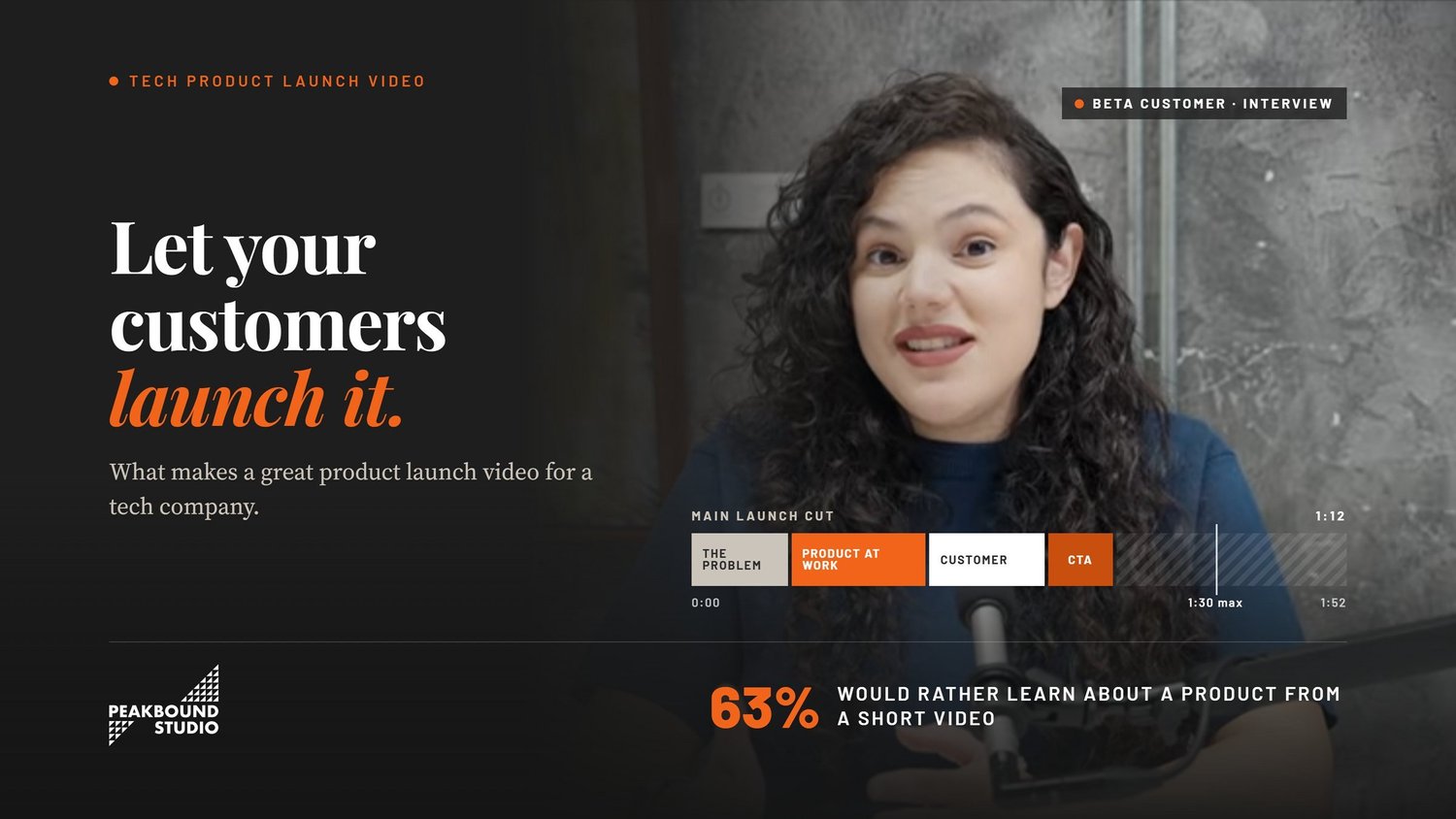
And people do want to learn this way. In Wyzowl's 2026 survey, 63% of people said a short video is how they'd most like to learn about a product, while only 12% picked articles and just 5% picked sales calls.
What makes a product launch video great?
The launch videos that work are clear from the first shot and stay with one problem, and they let the product and the people behind it do the talking before asking for one small next step. We'll go through them in order.
It makes sense in the first few seconds
Think about how you watch videos on LinkedIn. If you can't tell what something is or who it's for in a few seconds, you're gone, and your buyers are no different. That's why we like to open on a problem they know too well, like a report that eats up every Friday, and then show the product taking care of it. The founding story can wait for another day.
It focuses on one problem, not every feature
Of course your team wants every feature on screen after all those months of work. But cram twelve into one video and most people won't remember a single one, so pick the problem your product handles best and let that be the story. The other features can get their own short clips later.
It shows the product doing real work
You could say your tool saves time and buyers might nod along, but they won't believe it until they see it. So keep the camera on the actual screen while someone works through a real task. Seeing a job they used to hate get done in ten seconds will stay with viewers longer than any catchy line.
It lets real people do the talking
Lots of tech brands leave this out, and it's a shame, since it's often the bit people talk about later. Maybe it's a beta customer laughing about how her team used to do it all in spreadsheets, or an engineer admitting the feature started as a fix for his own headache. Nobody can script a moment like that, and viewers pick up on it.
It ends with one clear next step
When the video ends, what should people do? Maybe it's a free trial, a demo call, or a spot on the waitlist, but whichever it is, pick just one. Give people three buttons and there's a good chance they won't press any of them.
Why do real voices matter so much in a tech launch?
Real voices matter because B2B buyers have sat through more sales pitches than they can count, so they'd rather hear what other people think of you. Put real customers and your own team in the video and you're handing buyers that proof before they go looking for it.
TrustRadius quizzed 1,862 tech buyers on their shopping habits for its 2026 B2B Buying Disconnect Report, and 74% lean on reviews to decide. Even AI doesn't get a free pass, as 94% check its answers at least now and then. On top of that, 47% trust what they read online less than they did a year ago. That's a lot of doubt, and someone who's used the product can get past it faster than anything you say about yourself.
That's where interview videos shine. Picture a customer saying, in her own words, that a feature gave her team their Friday afternoons back. That's a review, really, just sitting inside your launch video. Then your founder talks about the mess that pushed them to build the thing, and now the product has a story and a face.
Quality matters here too. Wyzowl found that for 89% of people, a video's quality shapes how much they trust whoever made it. A great answer can get lost under a humming air conditioner, and most people freeze up a bit on camera. A good interviewer chats with them first, so by the real questions they've forgotten it's there.
How long should your launch video run?
For the main video, 30 to 90 seconds tends to hit the mark, while the long demo can wait for people who come back curious. That's enough time for the problem, the fix, and a bit of proof before a busy viewer reaches for the next tab.
The research backs this up. In Wyzowl's 2026 survey, 71% of the people surveyed said videos between 30 seconds and 2 minutes work best. Motion The Agency looked at its own launch videos and more than 80 from other brands. Both sets ran just over a minute on average, and only about one in four went past 90 seconds.
Wistia checked more than 13 million videos for its 2026 State of Video Report, and it found that people watch about half of a video that's under a minute long, on average. But shorter isn't always better, and Wistia's earlier report found that the shortest videos also turn the fewest viewers into leads. So we'd treat your short video as the hook and have a longer demo ready for anyone it pulls in.
Which types of launch videos should a tech company make?
One video rarely covers a whole tech launch, so most teams end up with a little set of them, all cut from the same footage. People bump into you at different times, and what works on day one isn't what a buyer wants a month later.
- The main launch video: Most folks will meet your product here first, in a 30 to 90 second cut that lives on your homepage or atop your LinkedIn page.
- Short feature clips: Each one spends 15 to 45 seconds on a single feature, and don't be surprised if sales starts dropping them into emails.
- A product demo: This is the slower one, showing what a regular Tuesday with your product looks like.
- A customer or team story: Grab a beta customer, your founder, or an engineer, put them in a chair, and let them tell you why it matters. We'd argue it's the one holding the other three up.
That might sound like four shoots, but it's usually one. A single good conversation with a customer can be cut into the main video, a handful of clips, and the longer story, as long as you plan for that before the camera rolls.
What mistakes ruin a tech launch video?
When a launch video flops, it's usually because of jargon, too many features, too much flash, or nobody thinking past launch day. It only takes one of those to leave buyers shrugging.
We see jargon trip up tech companies more than anything else. Toss around words like "AI-powered" and "next-generation platform" in a boardroom and people nod, but a buyer watching your video still won't know what it does for them. If your script only makes sense with a glossary next to it, give it another pass.
Slick motion graphics have the same problem in a different outfit. They look cool, no doubt, but when they bury the product, viewers end up entertained and still scratching their heads.
If your script only makes sense with a glossary next to it, give it another pass.
We've all seen the video that goes up on launch day and is never heard from again. Plan early where yours will live, like your site, emails, LinkedIn, or ads, and it can keep working for months.
So where do you start with planning?
Good launch videos start with the question your buyer is asking and the people who can answer it, and the shoot gets planned around that. This is roughly how we'd go about it.
- Write down your buyer's main question. What would a doubtful buyer need to hear before they'd give your product a shot? That answer is your video.
- Line up your voices early. Your customers are busy people, so reach out to beta users and your own build team a few weeks ahead rather than the week of the shoot.
- Let the interviews shape the story. Almost nobody sounds natural reading lines, so skip the script, ask good questions, and build the story out of what people tell you.
- Shoot once, edit lots. If everyone on set knows you need a main video, some clips, and a longer story, you won't have to book a second day.
- Plan where every version will go. Work out before launch day which cut goes to your site, which one sales gets, and what ends up on social.
Where these numbers come from. The viewer, trust, and length figures come from Wyzowl's 2026 State of Video Marketing survey. The buyer figures come from TrustRadius's 2026 B2B Buying Disconnect Report, which surveyed 1,862 tech buyers. The watch-time data comes from Wistia's 2026 State of Video Report, and the launch video averages come from Motion The Agency.
The quick recap
- You've got a few seconds to show what your product does before people move on.
- Showing one problem solved well works better than touring every feature.
- Buyers would rather hear from your customers and your team than from your ads.
- The main video can stay around 30 to 90 seconds since the demo is there for the deep dive.
- Plan the interview shoot well and it'll feed nearly every channel you've got.
Questions we hear a lot
What goes into a good tech launch video?
Open on a problem your buyer knows well and show your product fixing it. Let a customer or someone on your team back it up, then wrap with one clear next step. Sticking to one main benefit makes the whole thing easier to remember.
What's the right length for a launch video?
We'd say 30 to 90 seconds works for most teams. It's enough time to show the problem and the fix with a little proof, and anything longer can go in a separate demo.
Should a product launch video use real customers?
We'd say yes whenever you can. Buyers take a customer's word over an ad's, and you might be surprised how many beta testers are glad to talk about something they helped shape.
What's the difference between a launch video and a demo video?
A launch video is the trailer, usually under 90 seconds and built to get people curious. A demo is the full tour, walking buyers who are close to signing up through how things work step by step.
How early should you start planning a launch video?
A few weeks out is the bare minimum, since booking interviews takes longer than teams think, and you don't want to rush the edit.
Ready to tell your launch story?
At Peakbound Studio, we make documentary-style videos built on interviews, so the people closest to your product can tell its story. Got a launch coming up? We'd love to help you plan one shoot that gives you a strong main video and plenty of clips to keep it going long after launch day.
If you'd like to see more, take a look at how we work with tech and SaaS teams, our customer testimonial videos, or our guide on how explainer videos shorten SaaS sales cycles. We film across Oakland, San Francisco, and the wider Bay Area.